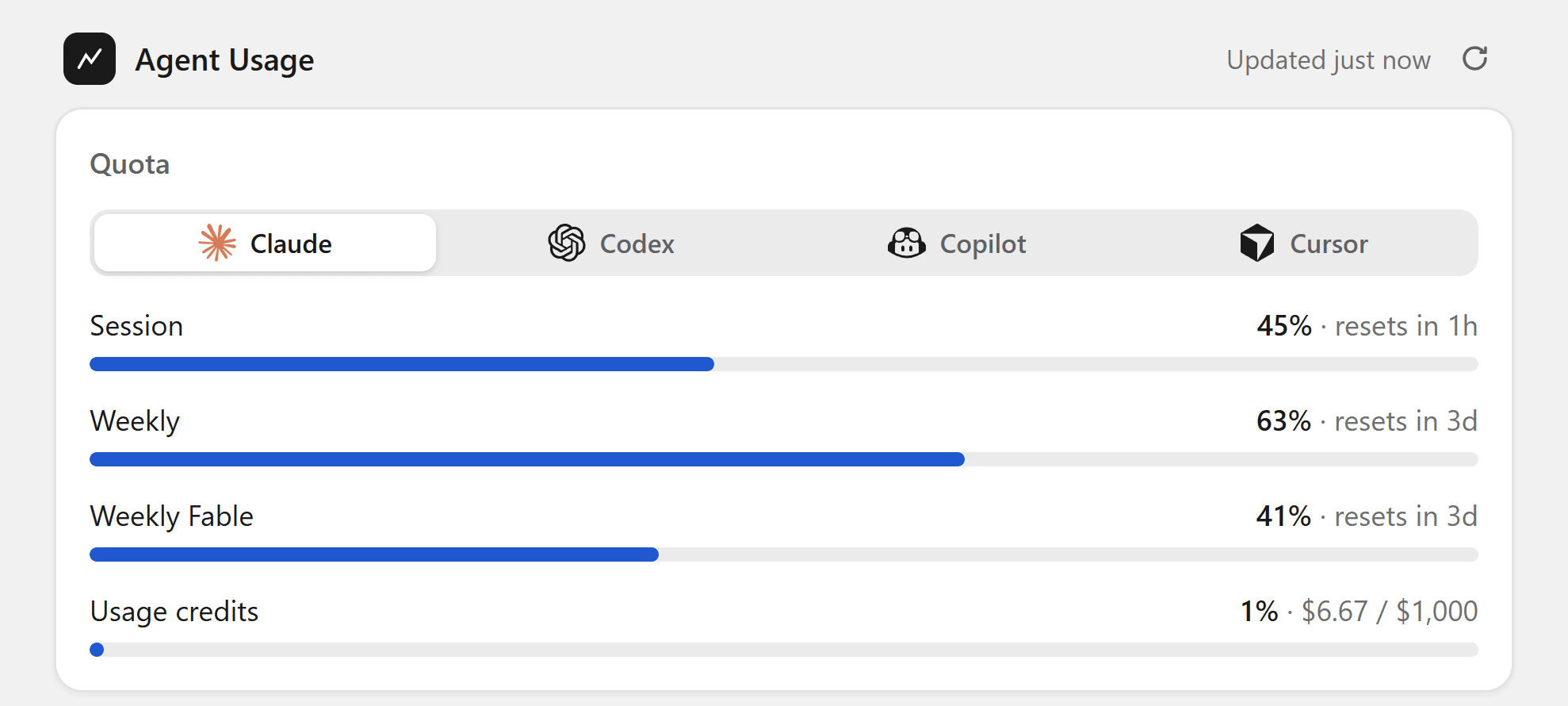

I don't use one agent anymore. Claude Code does most of the work, Codex gets a second opinion, Cursor and Copilot sit in the editor, Gemini CLI fills the gaps. Every one of them has its own limit, its own reset window and its own page that tells you where you are, if it tells you at all. I found out I was out when the agent stopped answering.
What it does
It lives in the tray on Windows and the menu bar on macOS. Click it and you get a tab per provider with the quotas that provider actually has:
- Claude: the 5-hour session, the weekly limits and your usage credits.
- Codex: session and weekly windows.
- Copilot and Cursor: the monthly allowance.
- Gemini CLI: daily requests per model.
The icon goes green, yellow, red as you get close to a limit, so most of the time I don't open it at all. On Windows there's an optional widget that floats near the tray with the session and 7-day bars, on macOS the menu bar item shows the same two.
Where the money went
Quotas tell you how close you are, not what it cost. Below them, the app adds up tokens and dollars across Claude Code, Codex and Cursor, grouped by agent, model, tool or MCP server, and project.
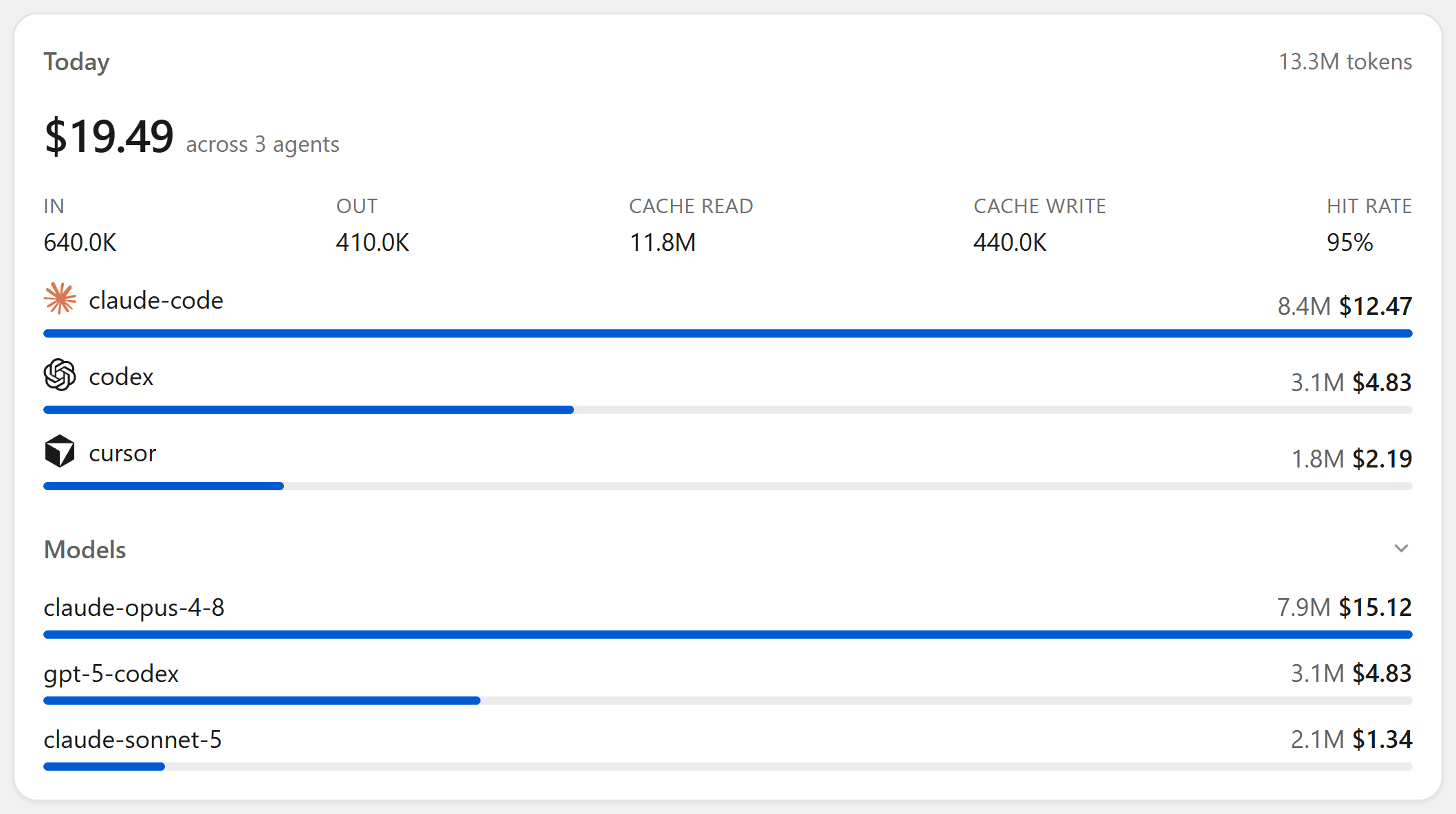
It also shows the burn rate, tokens per minute and dollars per hour, and estimates when you'll hit the session limit at that pace. That's the number I look at most.
Everything stays local
It reads the logins you already have. Nothing to connect, no account.
- Claude from the OAuth token in
~/.claude(the Keychain on macOS), Codex from~/.codex/auth.json, Copilot from the editor plugin or yourghlogin, Cursor from its local session, Gemini from~/.gemini. - A provider only shows up when its login exists. None of them is required.
- Cost comes from
tokscale, which reads your agents' local logs. It runs withbunxornpx, so you need Bun or Node. - The only requests it makes are to those providers' quota endpoints and the GitHub release check.
More than one Claude account
Claude Code keeps one login at a time. If you juggle a work and a personal subscription, drop one credential file per account into ~/.claude-accounts and each gets its own bars under the Claude tab:
CLAUDE_CONFIG_DIR=~/.claude-work claude /login
cp ~/.claude-work/.credentials.json ~/.claude-accounts/claude-work@acme.dev.json
The filename becomes the account's name, and every token refreshes in place, so an account stays live without opening Claude Code on it.
In the statusline too
Every poll writes the latest snapshot to ~/.agent-usage/quota.json. A small statusline reads it, so Claude Code shows the 5h and 7d bars without making a network call of its own.
npm i -g agent-usage-statusline"statusLine": { "type": "command", "command": "agent-usage-statusline", "padding": 0 }Which download
| System | Grab |
|---|---|
| Windows | Agent-Usage-Setup-x.y.z.exe, no admin rights |
| Apple Silicon | Agent Usage-x.y.z-arm64.dmg |
| Intel Mac | Agent Usage-x.y.z-x64.dmg |
The macOS builds aren't signed yet, so Gatekeeper blocks the first launch. Right-click the app and choose Open. Windows updates itself, macOS shows a download link when there's a new version.
It's on GitHub, builds are on the releases page. If a provider shows the wrong number, open an issue with what its own page says. That's usually all I need.