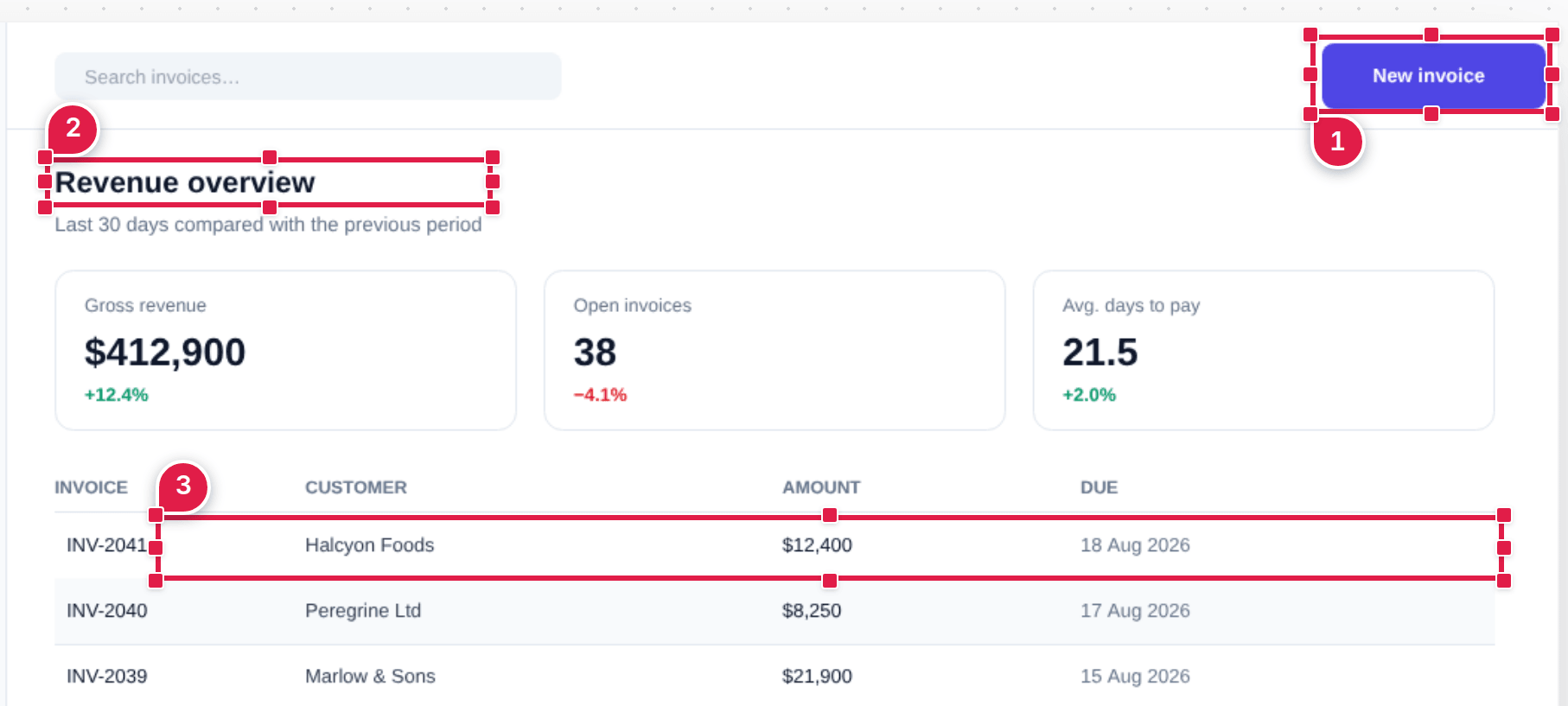
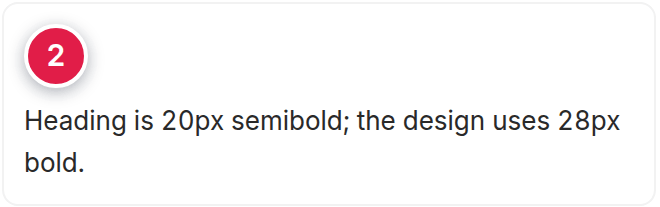
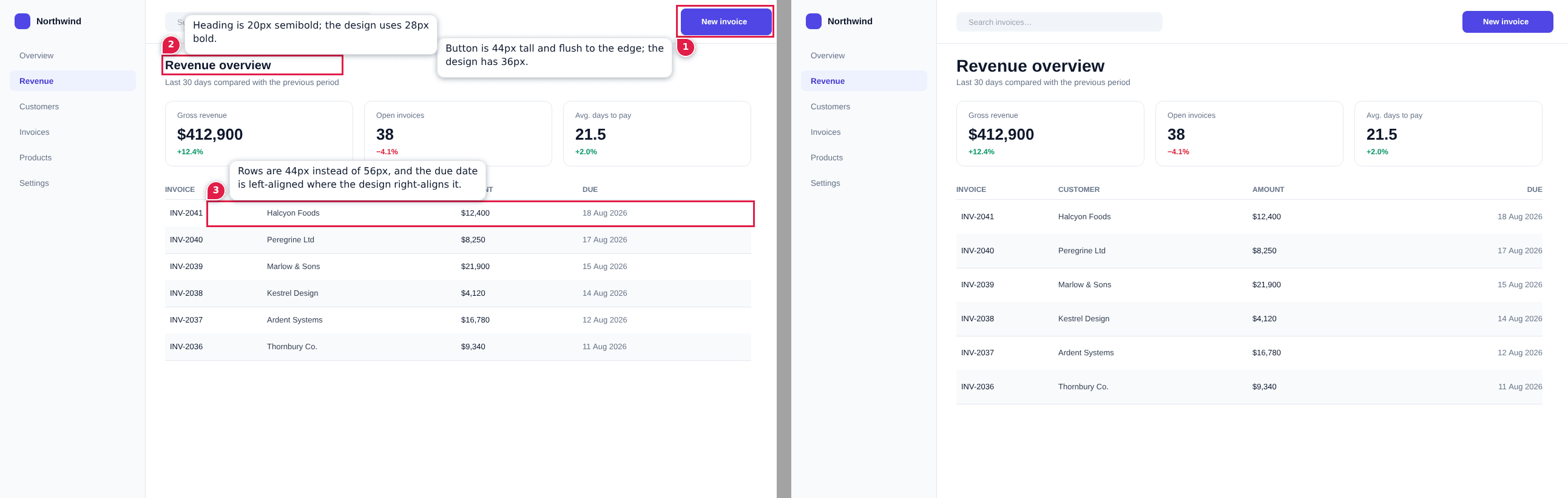
Most of my UI work goes through Claude Code now. It's great at building a screen from a description and a lot worse at fixing one. "The heading is too big" doesn't point at anything, and a DOM selector tells the agent where, never what it should have looked like.
What it does
Paste or drop a capture of what the agent built. Drag a rectangle over each thing that's wrong and write a note against it. Put the design reference beside it if you have one, then send.
Run it from inside the project you're marking up. It serves on port 24680, not 3000 or 5173, those belong to the app you're fixing. If the port is taken it walks up until it finds a free one and says so, and --port overrides it.
$ npx ui-divergence-feedback
The report remembers
Every report carries the session that made it: the original capture, the design reference, every region and note, written into the PNG as a tEXt chunk. Drop a report back on the page and it opens right where you left it.
Decoders that don't know the keyword skip the chunk, so the report is still an ordinary PNG to every other tool. Each chunk ends with a CRC-32 over its type and data, which is the only math involved:
/** The CRC-32 every PNG chunk ends with, over its type and its data. */
function crc32(bytes: Uint8Array): number {
  const lookup = crcTable()
  let crc = 0xffffffff
  for (const byte of bytes) crc = lookup[(crc ^ byte) & 0xff]! ^ (crc >>> 8)
  return (crc ^ 0xffffffff) >>> 0
}Everything stays local
It's run as a command from inside your project rather than opened as a page, because the project a report belongs to is the directory it was started in.
- Nothing is uploaded and there's no login.
- The only file it writes is the report, in your project's reports/ folder.
- It never runs an agent. Send opens a Claude Code session with the prompt typed in, and nothing happens until you press Enter.
Which button when
| Button | Reach for it when |
|---|---|
| Send to Claude Code | Browser and Claude Code are on one machine |
| Copy Image | You want the annotated PNG on your clipboard |
| Write Image, Copy Text | One paste should carry image and notes |
It's MIT licensed, on npm and GitHub. If you point it at something and it breaks, open an issue with the report attached. It carries everything I need.