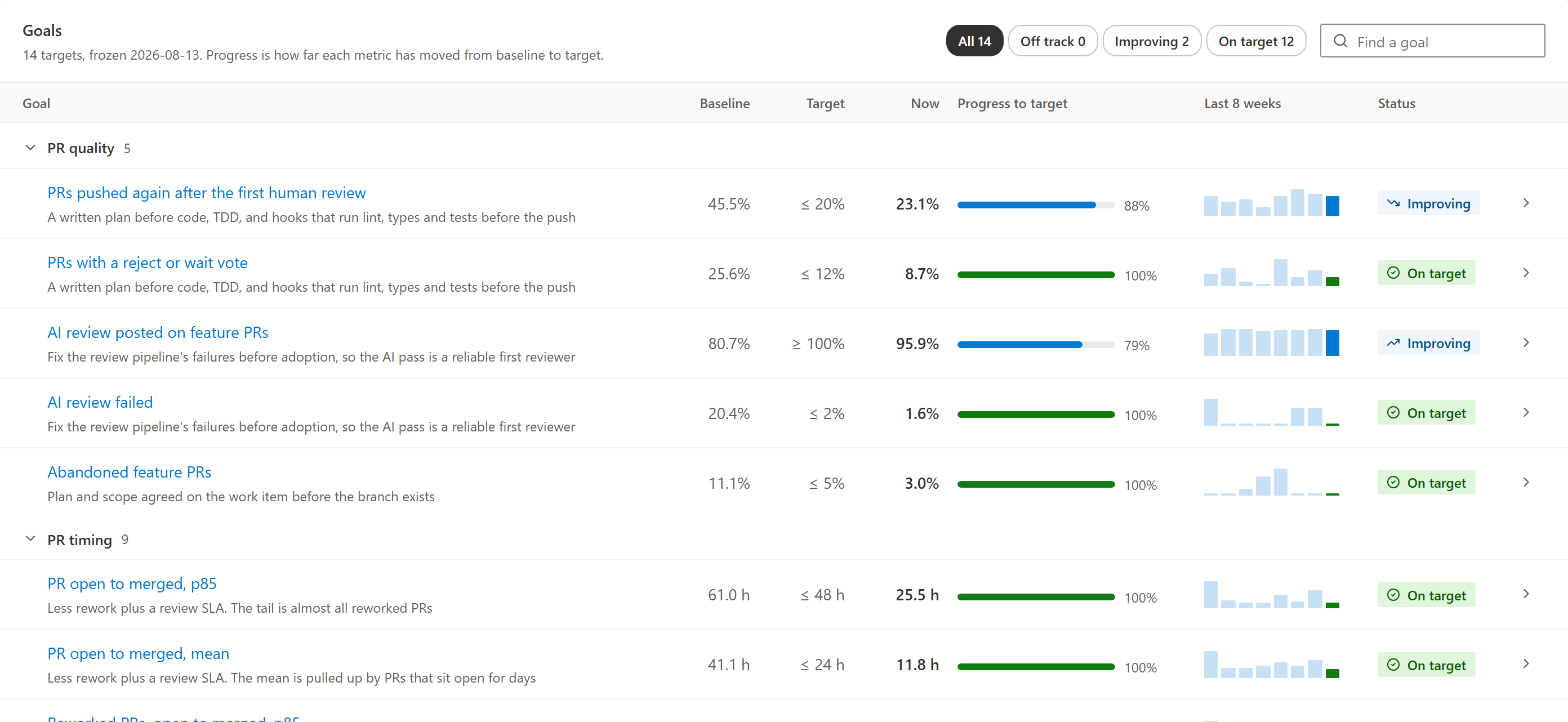
A team changes how it works: plans before code, a review SLA, an AI pass on every PR. A few weeks later someone asks if it helped, and the honest answer is a feeling. Ours was a one-off script, a baseline pasted into a doc, and a promise to run it again in a quarter. By then nobody remembers which PRs the script left out, so the second run doesn't compare to the first.
What it does
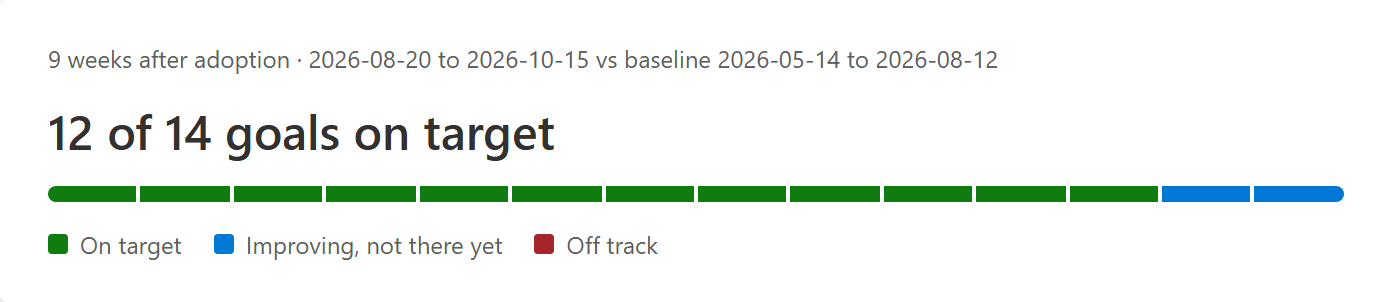
It adds an Improvements hub under Boards. Each process change is an initiative: a baseline window, an adoption date, a check-in date, and the goals it's meant to move. The Goals tab opens on how many are on target, what the guardrails and the stop condition say, and a weekly chart for each goal with the baseline and target drawn in.
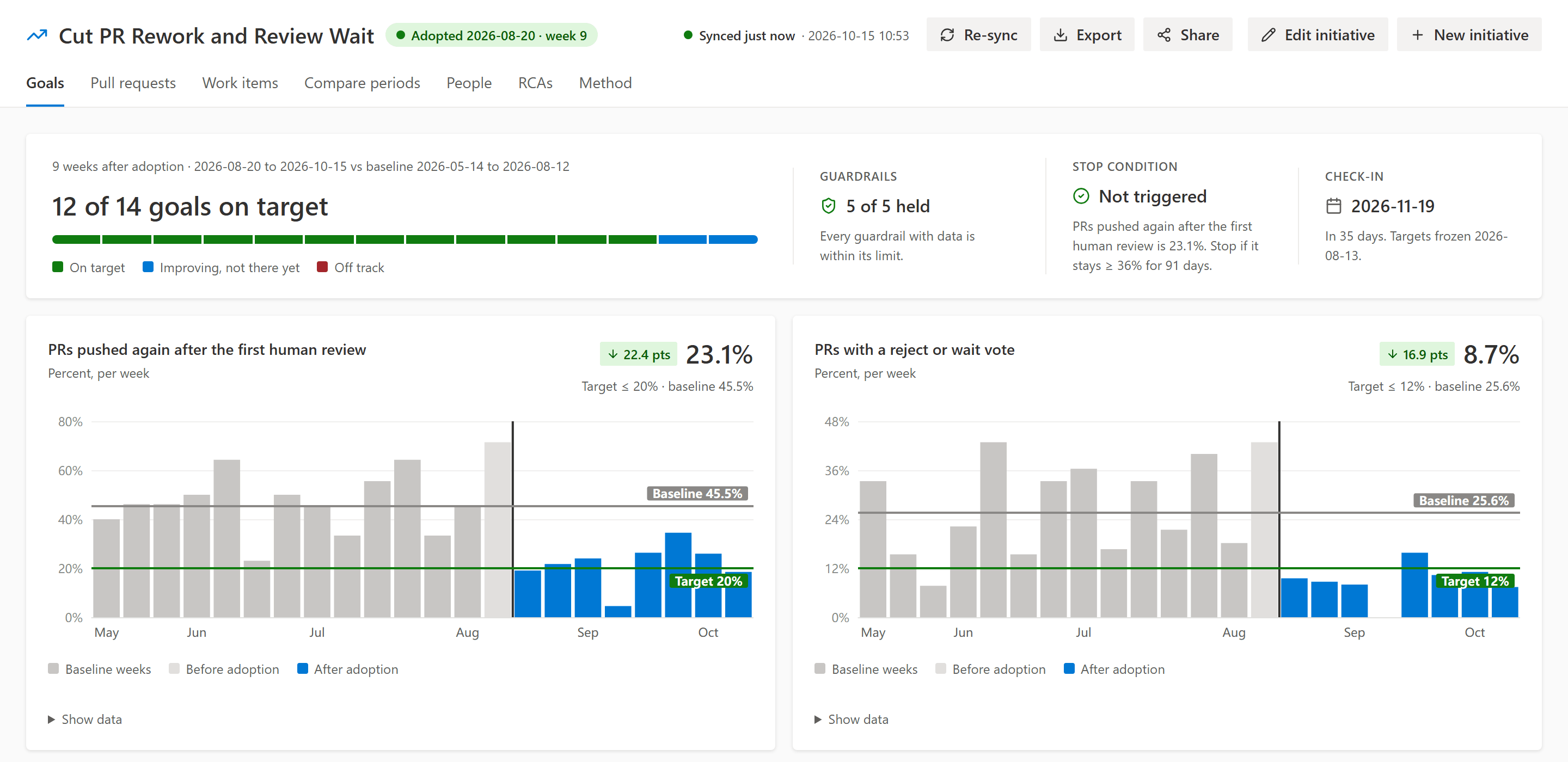
A new project starts from a ready-made PR-flow initiative: rework after review, time to first review, open to merged and a few more, already grouped. Change the targets, delete what you don't care about, save.
Goals, guardrails and a stop condition
A goal is a metric, its baseline and a target. The baseline comes from your own history, the weeks before adoption, so you start from real numbers instead of guesses. Each goal also has a lever, the practice that's supposed to move it, so a year later you still know why the target is there.
Progress is how far a metric has moved from its baseline toward its target. Halfway there counts as improving:
export function evaluateGoal(baseline: number, target: Target, now: number): { progress: number; status: GoalStatus } {
  if (Number.isNaN(now) || Number.isNaN(baseline)) return { progress: NaN, status: "noData" };
  if (meets(now, target)) return { progress: 1, status: "onTarget" };
  const gap = target.op === "<=" ? baseline - target.value : target.value - baseline;
  const moved = target.op === "<=" ? baseline - now : now - baseline;
  const progress = gap > 0 ? Math.min(1, Math.max(0, moved / gap)) : 0;
  return { progress, status: progress >= IMPROVING_AT ? "improving" : "offTrack" };
}
Guardrails are the numbers that must not get worse while you chase the goals. Faster reviews don't count if throughput drops or more items get reopened after Done. The stop condition says when to give up on the change, for example rework still at 36% or more 91 days after adoption.
When you adopt the change, you freeze the targets. Editing them after that asks for a reason, and every version stays in the history with who saved it.
Pull requests and work items
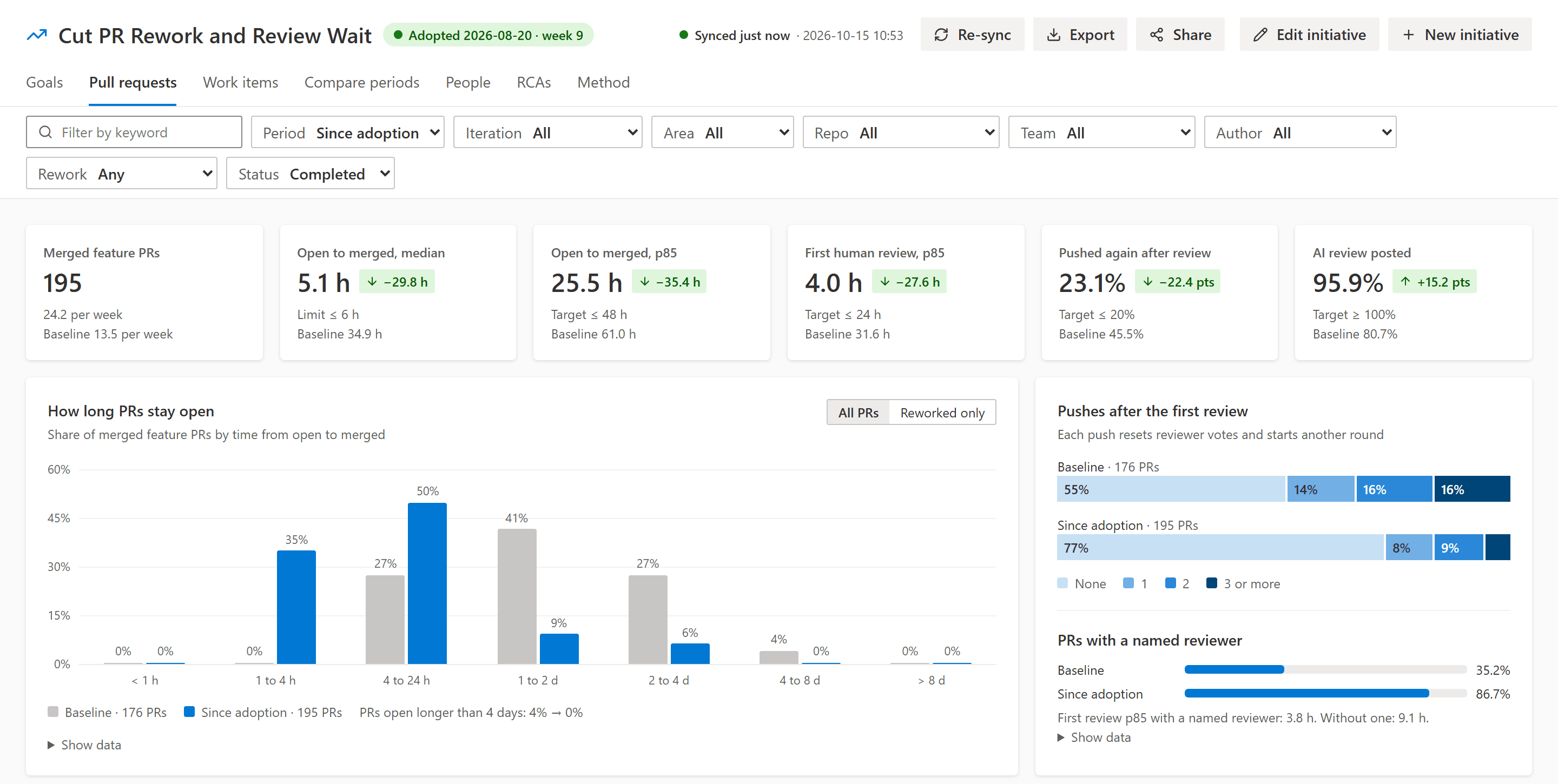
The Pull requests tab shows the numbers behind the PR goals, filtered by repository, team, author, iteration, area and period. How long PRs stay open against the baseline, how many get pushed again after review, which open PRs are past the review SLA, and the slowest ones in a table.
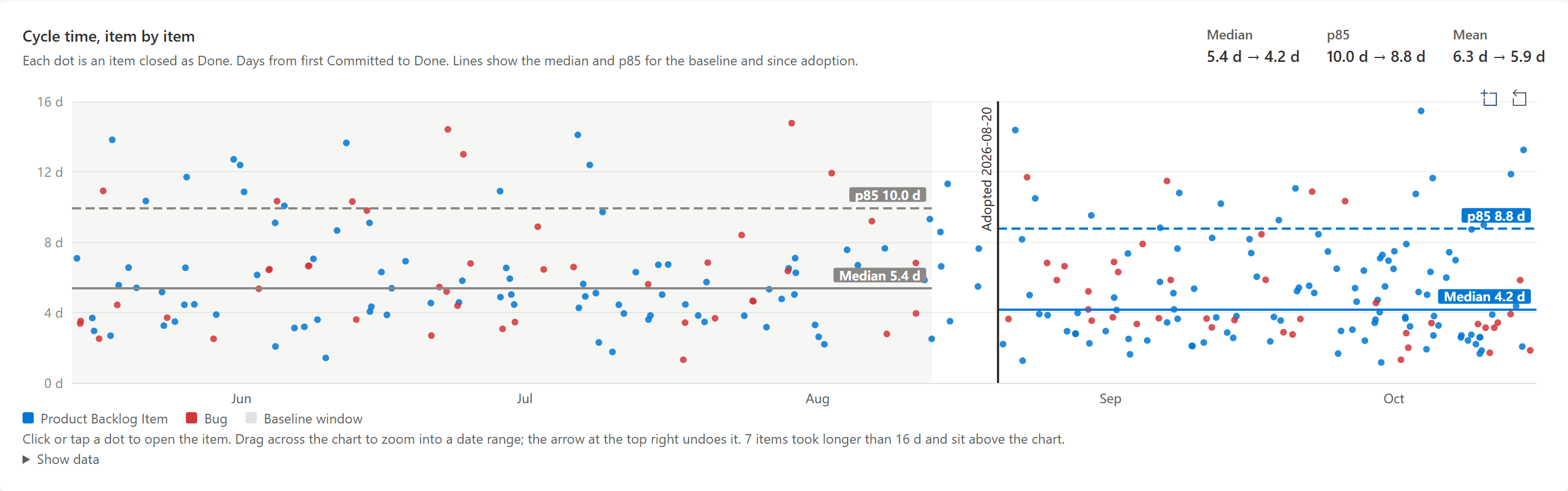
The Work items tab does the same for cycle time and throughput. Every item closed as Done is a dot, so one slow Bug doesn't hide inside a median.
Readings that don't move
Live numbers shift. A late merge or a settings change rewrites last month, and the slide you showed in the retro no longer matches the hub. So you record readings: the baseline, then one a month after adoption. A reading is written once and never recomputed, and Compare periods puts them side by side.
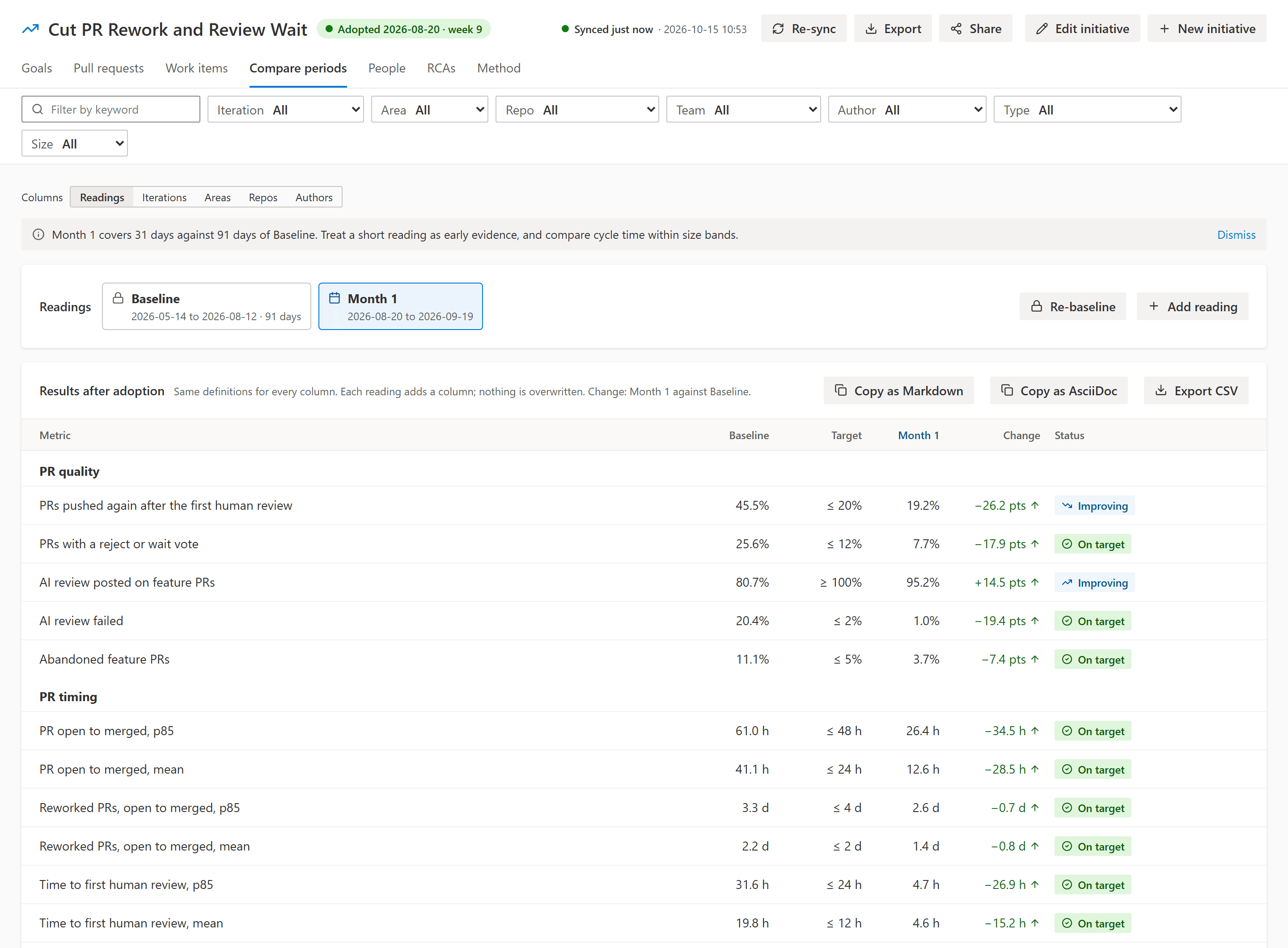
The same table can compare other things on the same definitions: Iteration 3 against Iteration 4, one product area against another, or repositories and authors over one period.
People, for 1:1s
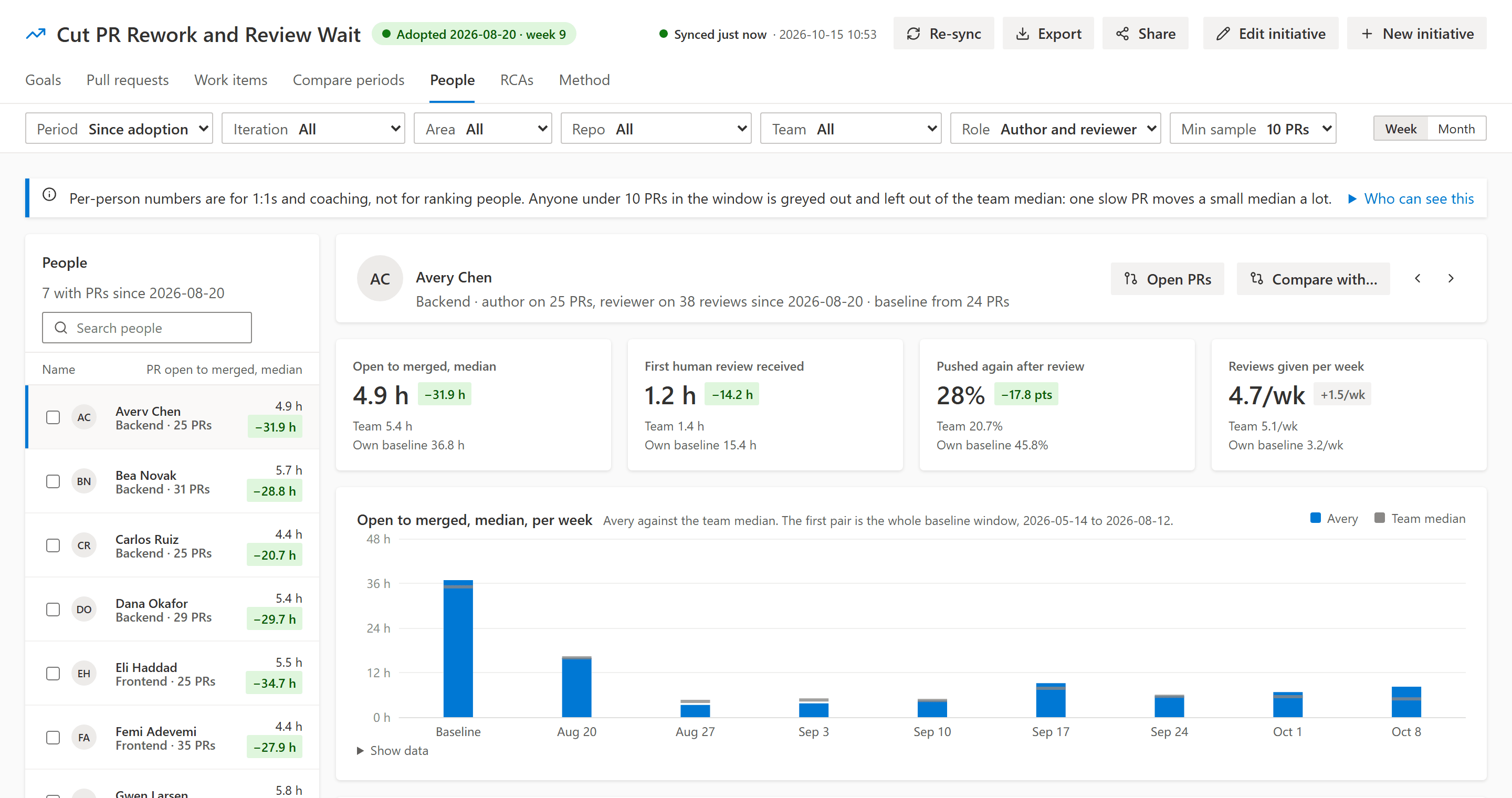
The People tab shows each person's PR, review and work-item numbers against their own baseline and the team median. It's there for coaching, so the change is measured against where that person started, and anyone with too few PRs in the window is greyed out.
RCAs
Root cause analyses are work items we already had, tagged RCA. Tags that start with cause:, caught: and sev: give each one its root cause, the step that could have caught it and its severity. Its child items are its action items.
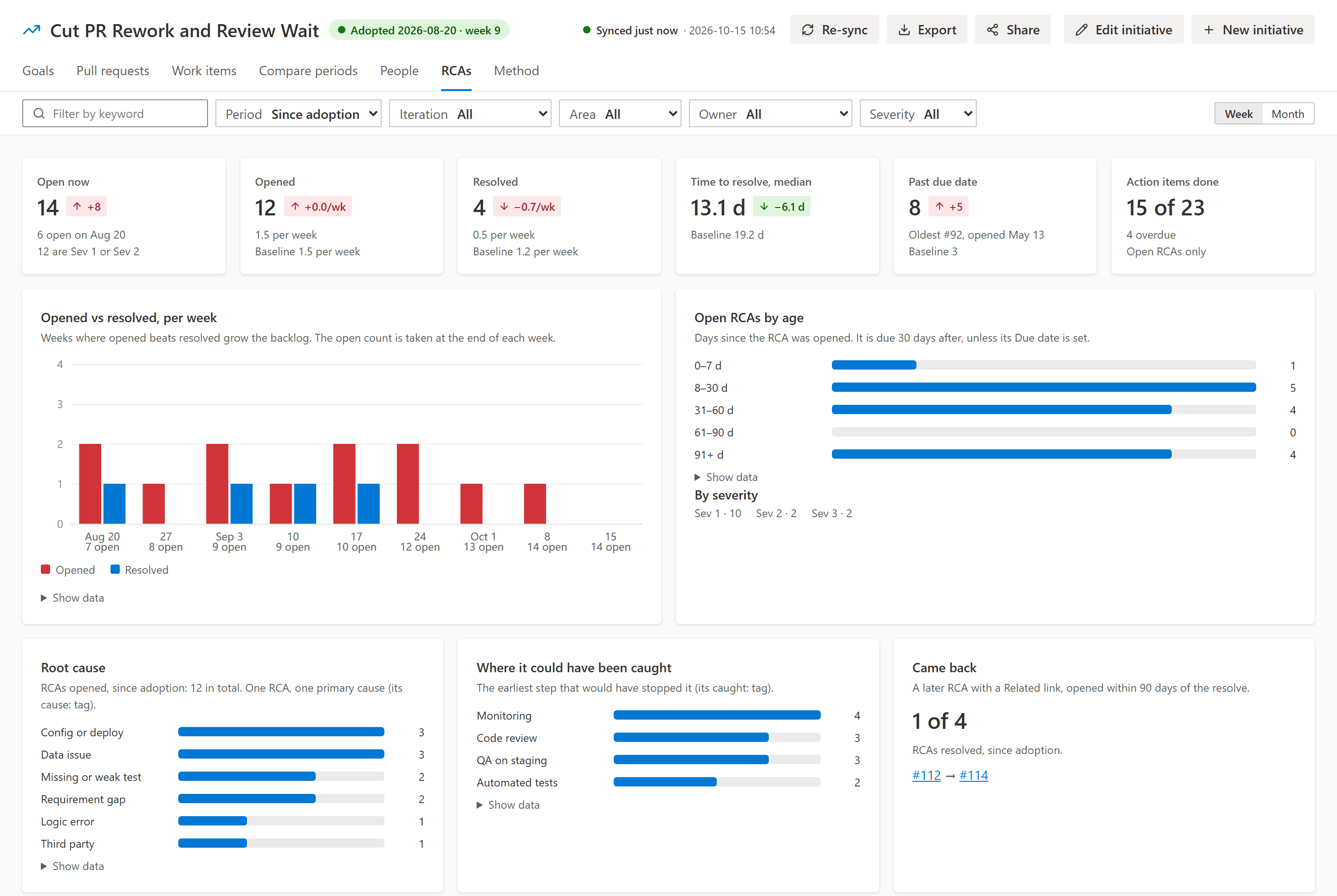
The tab shows how many are open and overdue, which causes keep coming up, and which RCAs came back within 90 days. Time to resolve and the came-back share can be goals or guardrails like any other metric.
Every number has a definition
The Method tab lists how each metric is counted and what it leaves out: which branches are feature work, which comments are bots, what counts as a human review, when cycle time starts. The definitions are settings, so another organization can tune them, and changing one rebuilds every fact while recorded readings keep their values.
Before I trusted any of it, I ran the extension's numbers against the old baseline script on the same PRs and work items, metric by metric, until they matched.
How it runs
There's no backend. When someone opens the hub and the data is more than 12 hours old, it syncs in their browser, with their access, and stores the facts in the extension's data storage in your organization. Nothing leaves Azure DevOps: no telemetry, no external scripts.
Where it's at
I built it in nine days for our team's own process change, and it's on version 1.7 already. It's free on the Visual Studio Marketplace and works on Azure DevOps Services. The screenshots here are from its demo data, a made-up team called Fabrikam.
If you try it on your team and a number looks off, tell me which one and what you expected.