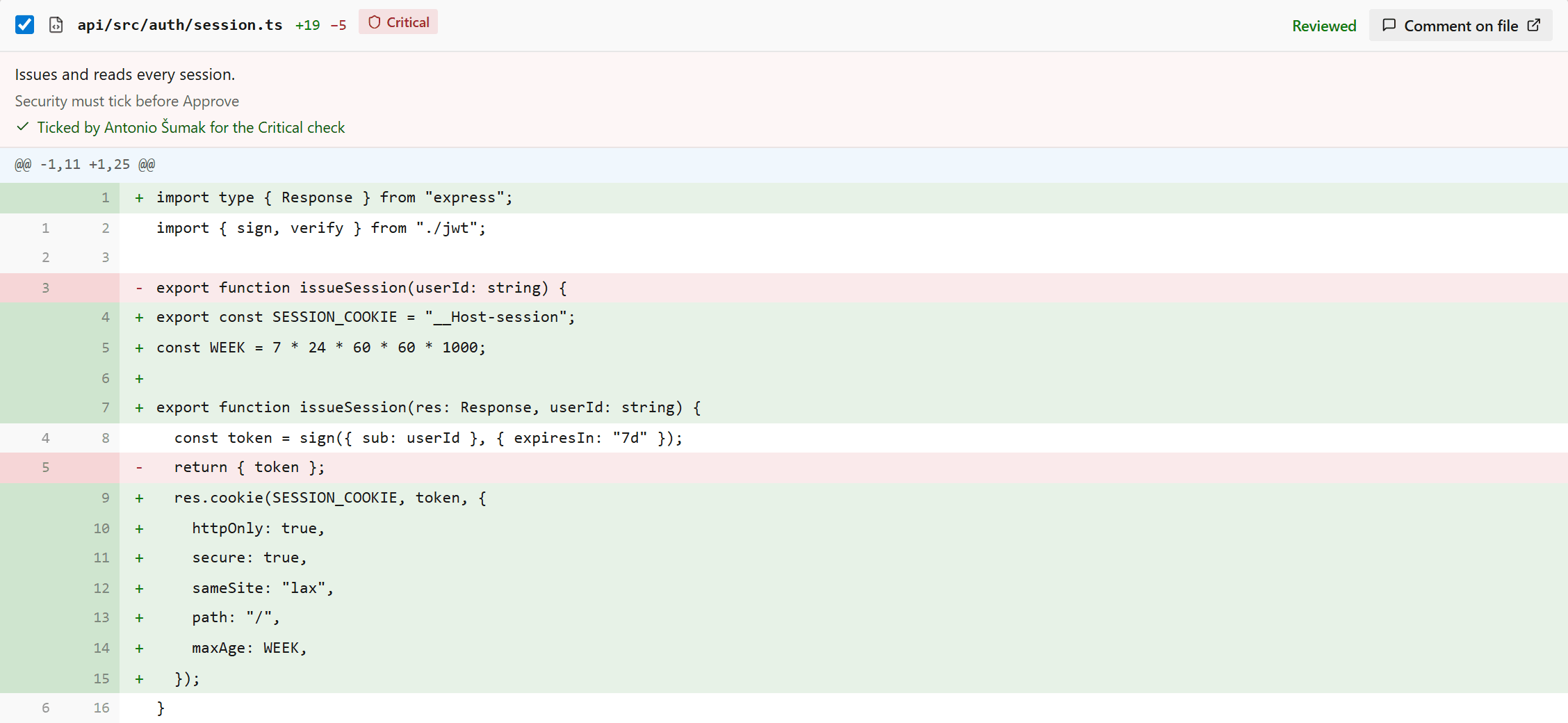
Open a 30-file PR in Azure DevOps and you get the files in folder order. The lockfile sits next to the auth middleware, the generated client next to the one function that actually changed. The first stretch of every big review goes to jumping between files to work out what the PR even does, and only then does the reviewing start.
What it does
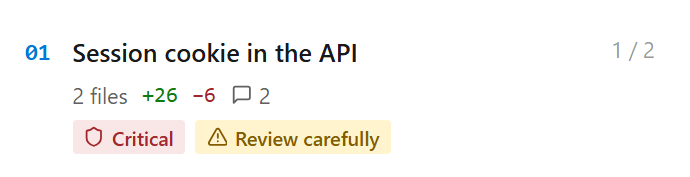
Every PR gets a Guide tab. It opens on an overview: a line of context, what the PR does step by step, a before and after, and the files that need attention pinned at the top. The rest of the PR is split into chapters, in the order it makes sense to read them.
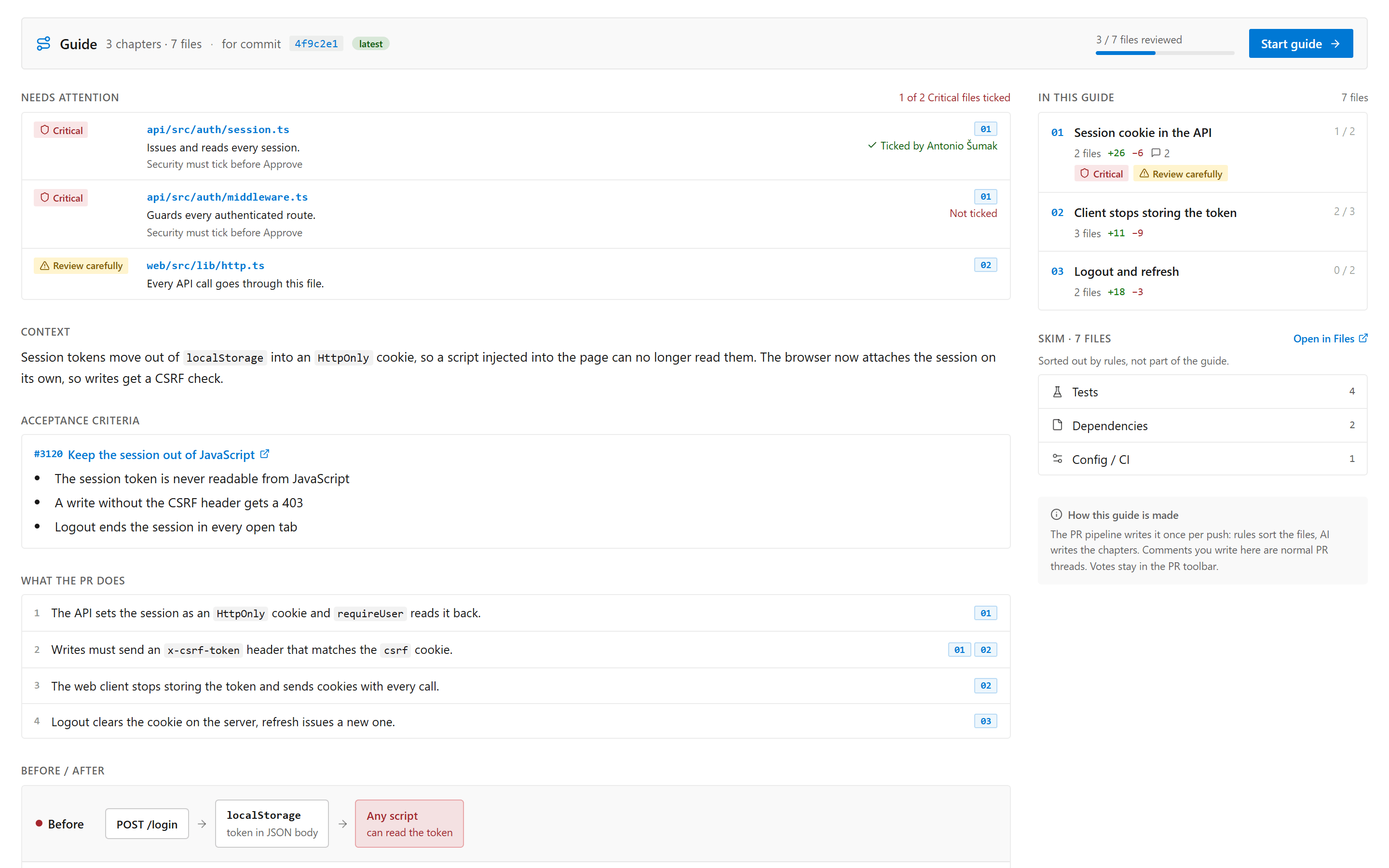
Lockfiles, tests, config and docs don't get chapters. Rules sort them into skim groups on the side, so they're one click away in Files and out of the way everywhere else.
Read it chapter by chapter
Each chapter says what changed and why, then shows its diffs inline. Read it, tick the file as reviewed, move on to the next chapter. The rail on the left shows how far you are.
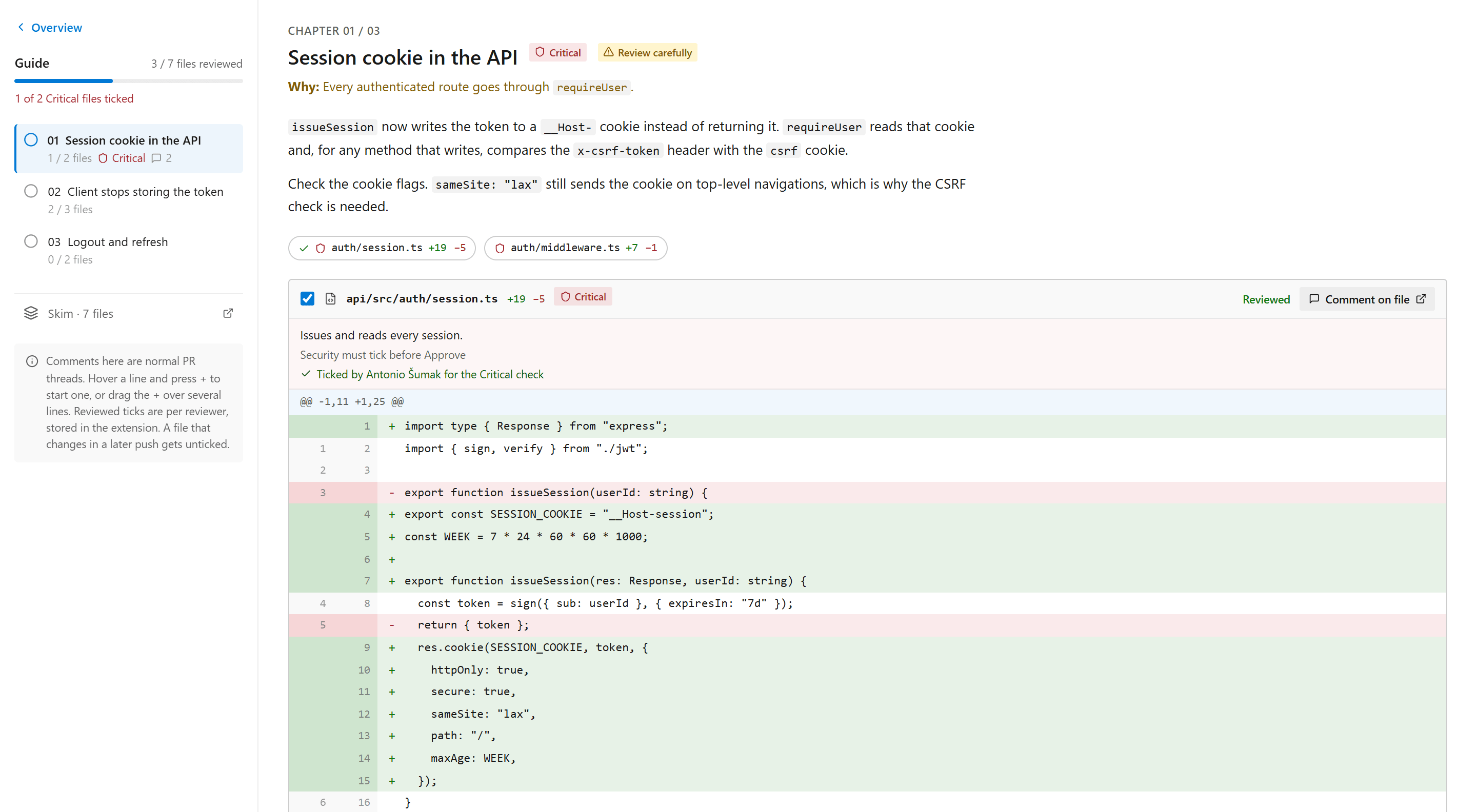
A tick remembers which version of the file you looked at. Push a new commit that touches it and the tick clears, so "reviewed" always means the code that's there now:
// path → head blob id at the moment the reviewer ticked it. A newer blob means "changed since you reviewed".
export type Ticks = Record<string, string>;
export const isReviewed = (t: Ticks, path: string, head?: string) => !!head && t[path] === head;Comments are normal PR comments
Hover a line, press +, write. Drag over several lines to comment on a range. They're ordinary PR threads, so they show up in Files and the activity feed too, and replying in either place works. Votes stay in the PR toolbar.
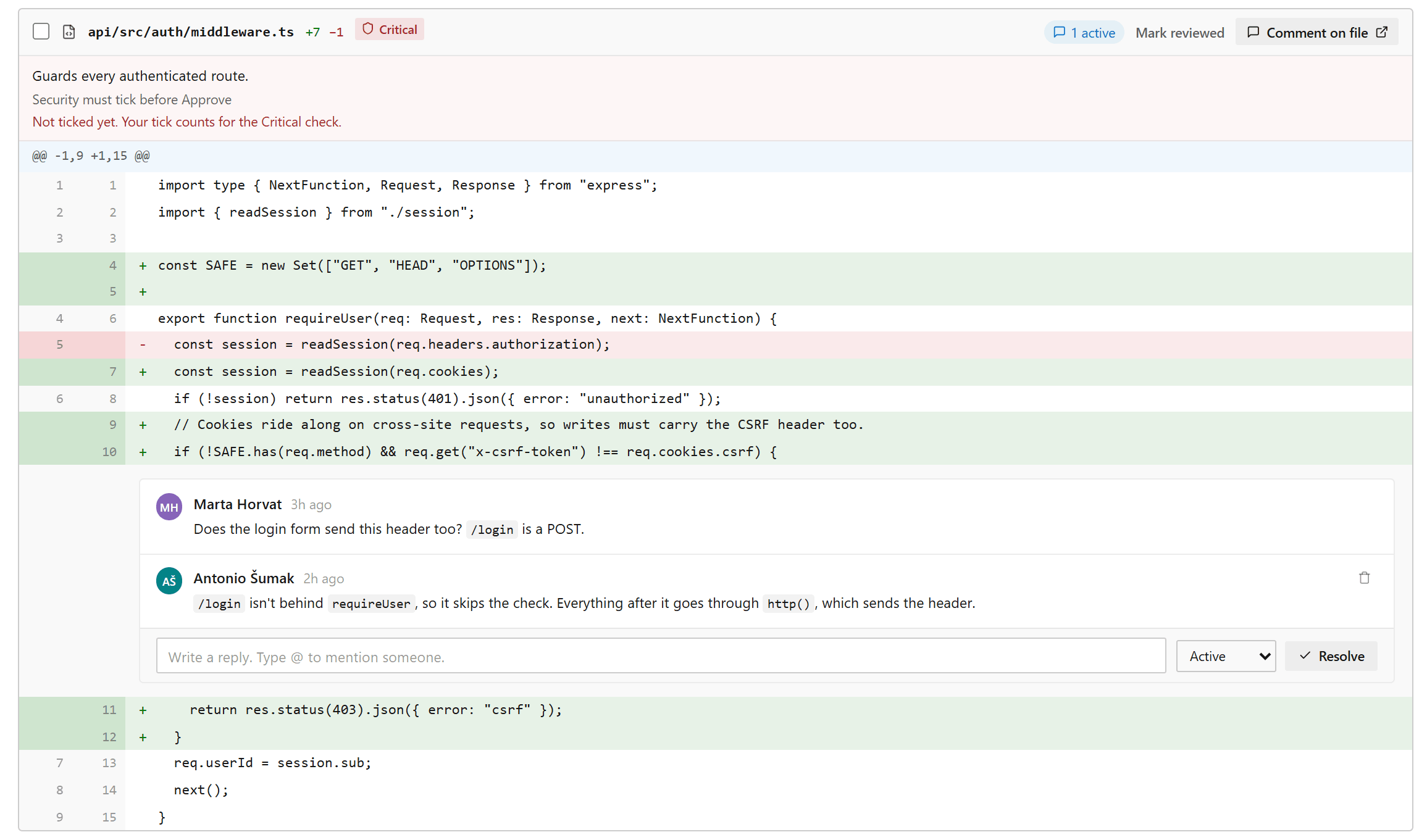
Critical files
Some paths matter more than others. A project can mark them Critical and name the group that has to look at them, Security for auth/, Payments for billing/. Those files are pinned first in the guide, and with the gate on, the PR can't complete until someone from that group ticks each one.
Rules per project
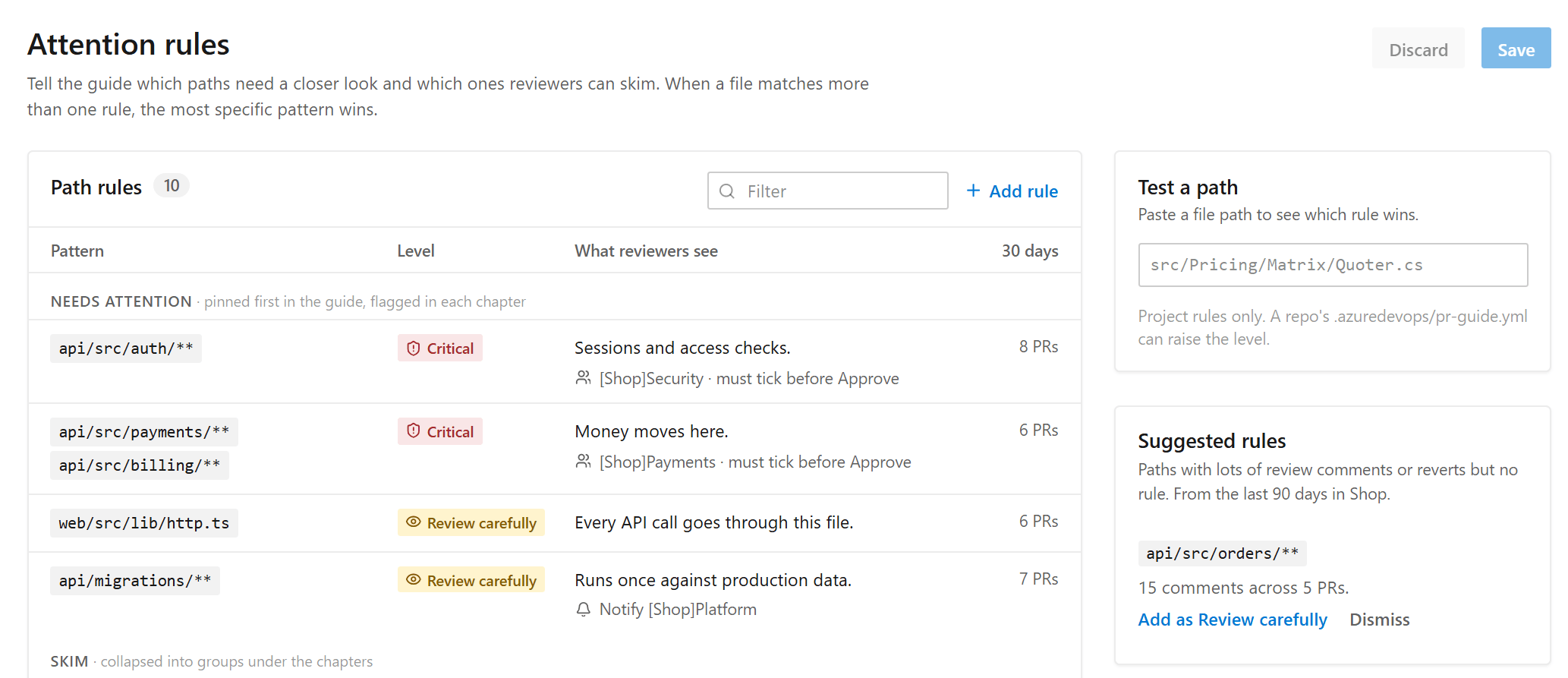
Under Project settings there are two pages. Attention rules maps paths to Critical, Review carefully, Skim or Hide, and the most specific pattern wins. It shows how many PRs each rule matched in the last 30 days and suggests rules for folders that keep collecting review comments or reverts.
Review policy covers the rest: untick one file or the whole chapter on a new push, pull acceptance criteria from linked work items, give the author a draft window to fix the guide before reviewers see it, skip bot PRs, set a monthly budget.
A repo can add its own rules in .azuredevops/pr-guide.yml. They're read from the target branch, so a PR can't loosen its own rules, and they can only raise a level, never lower it.
How the guide gets written
A pipeline task runs as PR build validation. It diffs the PR with git, lets the rules sort out the skim files, and asks Claude to group the rest into chapters and write the text. The guide is stored on the PR itself, as a property, and the tab reads it from there.
steps:
  - checkout: self
    fetchDepth: 0
  - task: GuidedPrReview@1
    inputs:
      anthropicApiKey: $(ANTHROPIC_API_KEY)
If the model call fails, or there are only a couple of source files, it still writes a guide from rules alone, one chapter per folder, and says so at the top. Every file lands in exactly one chapter either way, so nothing in the PR goes missing from it.
Where it's at
I built it for our team's PRs at work, over two days, and it's on version 1.4 already. It's a private extension for now. If you run Azure DevOps and want it on your PRs, say hi.
The idea of a guide with chapters and inline diffs comes from Capy Guided Reviews. This is my take on it for Azure DevOps.